Home » Support and Guides » Home Command Center in 2 Hours
Set Up a Family Command Center in 2 Hours: Calendars, Mail Stations, and Chore Systems

Anna I
April 1, 2026
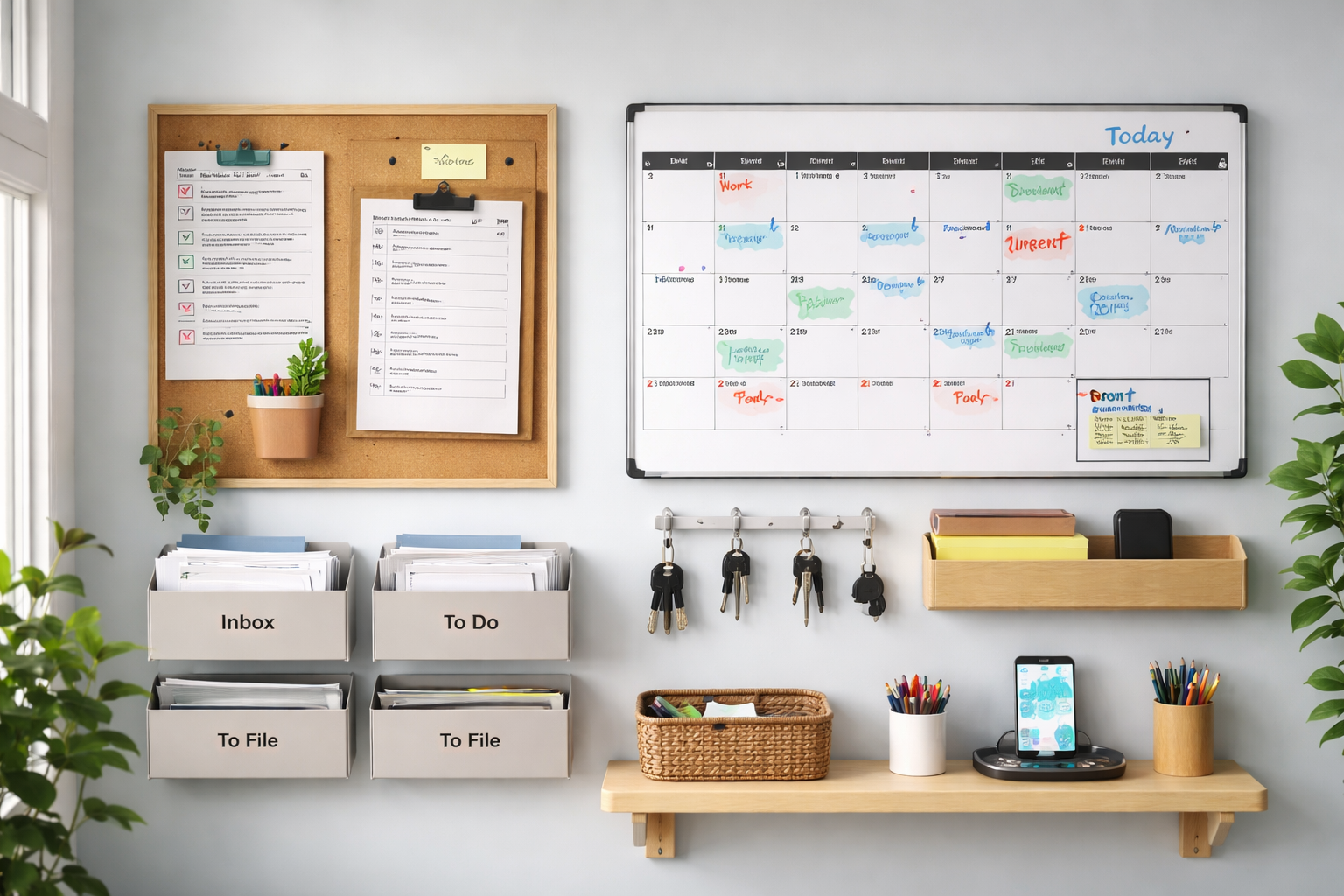
Home Command Center in 2 Hours
Introduction
Your home can run like a well-run office—if you build a command center and stick to it. Two focused hours is enough to create a visible hub that controls calendars, mail, keys, and chores. It reduces friction, cuts reminders in half, and gives everyone a single place to check what’s next.
This is practical, not perfect. Keep materials simple. Design for daily use. The goal is clarity: one glance, one action.
Practical setup: what to build and how to do it in 2 hours
What to gather first (10–15 minutes)
Collect a wall calendar or magnetic whiteboard, a large clipboard or corkboard, a set of labeled trays or folders, a small basket for keys, a pen cup, and a charging pad. Use adhesive hooks or a single drill for mounting. If you have nothing, a quick visit to a dollar store or ordering basic kits will do.
Prep digital backups: open a shared Google Calendar and a shared task list (Trello, Todoist or simple Google Tasks). You’ll sync paper and phone in the last step.
Step-by-step layout (90–105 minutes)
0–15 min: Choose the wall near the main entrance or kitchen. Clear the surface and mark positions for calendar, mail slots, and keys.
15–40 min: Mount the calendar/whiteboard and clipboard. Add weekly view at eye level. Use color codes for each family member or business line: blue for work, green for kids, red for urgent.
40–70 min: Create the mail station. Use 3–4 labeled trays (Inbox, To Pay, To File, School). Install the key basket and charging pad below the board. Add one visible “today” slot for the most important item.
70–90 min: Set up a simple chore and routine system. Post a weekly chore chart with short daily tasks and assign ownership. Automate reminders with your shared calendar—turn chores into repeating events assigned to individuals.
90–120 min: Finalize and test. Walk through arrival and departure routines. Put pens, a small stapler, and tape in easy reach. Take a family five-minute tour and agree on a nightly five-minute reset to clear the board and prepare for tomorrow.
Maintain momentum—and when to get help
A command center fails because it’s ignored. Protect it with two simple rules: use the “today” slot for one priority, and enforce the five-minute reset. Review the board weekly for 10 minutes to adjust labels and tasks.
If you’re short on time or need a cleaner look, consider bringing in help. Hire someone to mount hardware, create printable charts, or set up shared calendars and automations. You can find local handymen, organizers, or virtual assistants through TASK4YOU who will handle installation or digital setup quickly and affordably.
Two hours, a few inexpensive tools, and a little discipline will change how your household or small business runs. Start with the basics, keep it visible, and iterate weekly. Do it once well, and you’ll save hours each week—time that’s far better spent than searching for keys or forgotten bills.